Mastering Salesforce Transactions: A Guide to Savepoints and Rollbacks in Apex
In the world of Salesforce development, data integrity is paramount. Learn how to use Database.setSavepoint() and Database.rollback() to ensure your database remains consistent.
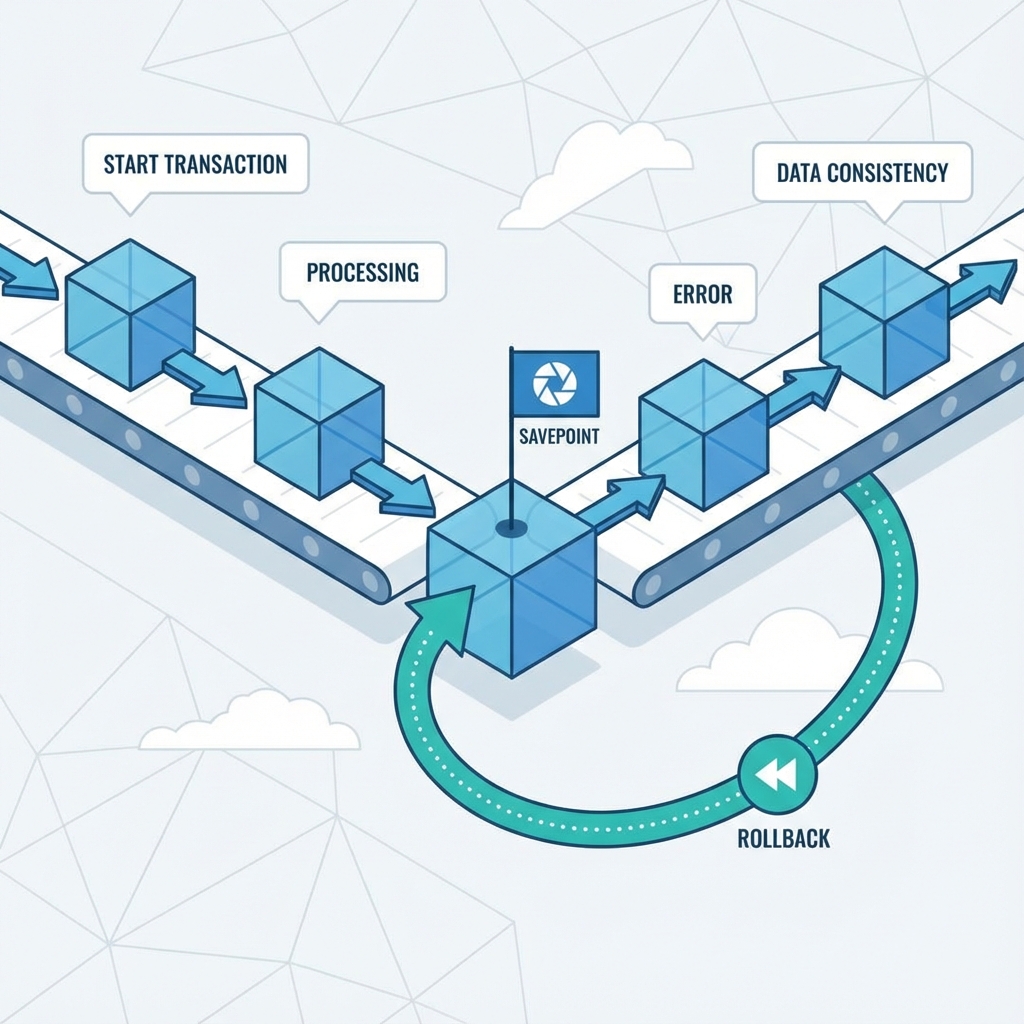
In the world of Salesforce development, data integrity is paramount. When executing complex business logic involves multiple DML (Data Manipulation Language) operations, ensuring that your database remains in a consistent state is critical.
Imagine a scenario where your code is supposed to perform two actions: create a new Order and update the Inventory count. What happens if the Order is created successfully, but the Inventory update fails? Without proper transaction management, you end up with an Order for an item that doesn't strictly exist in your system.
This is where Database Savepoints and Rollbacks come into play.
Understanding the Concept
By default, Apex transactions are "all-or-nothing" at a high level. However, when you are handling complex try-catch blocks or chaining multiple processes, you often need finer control. You need a customized "Undo" button.
Database.setSavepoint(): This method marks a specific point in your transaction timeline. It’s like taking a snapshot of the database state at that exact moment.Database.rollback(savepoint): This method reverts the database to the state it was in when the specific Savepoint was set.
Real-World Scenario: The Order Processing Engine
Let's move away from generic "Account and Contact" examples and look at a business-critical scenario.
The Requirement: We need a method that accepts a list of Products to buy. For each product, the system must:
- Create an
Order_Line_Item__crecord. - Deduct the quantity from the
Product2inventory.
The Constraint: If any part of this process fails (e.g., insufficient inventory for the 5th item in the list), none of the line items should be inserted, and none of the inventory counts should change. The entire transaction must be atomic.
The Bad Approach (Without Rollback)
If you simply wrap your DML in a try-catch block without a rollback, the records inserted before the error occurs might persist depending on your transaction context, leaving your data corrupt.
The Good Approach (Using Savepoints)
Here is how to implement a robust solution using Database.setSavepoint() and Database.rollback().
public class OrderService {

    public static void processOrder(Id orderId, Map<Id, Integer> productQuantities) {

        // 1. Define the Savepoint BEFORE starting database changes
        System.Savepoint sp = Database.setSavepoint();

        try {
            List<Order_Line_Item__c> linesToInsert = new List<Order_Line_Item__c>();
            List<Product2> productsToUpdate = new List<Product2>();

            // Query current inventory
            Map<Id, Product2> productMap = new Map<Id, Product2>(
                [SELECT Id, Name, Quantity_In_Stock__c FROM Product2 WHERE Id IN :productQuantities.keySet()]
            );

            for (Id prodId : productQuantities.keySet()) {
                Product2 prod = productMap.get(prodId);
                Integer qtyRequested = productQuantities.get(prodId);

                // Business Logic Validation
                if (prod.Quantity_In_Stock__c < qtyRequested) {
                    // This throws a custom exception effectively pausing execution
                    throw new OrderException('Insufficient inventory for product: ' + prod.Name);
                }

                // Prepare Line Item
                linesToInsert.add(new Order_Line_Item__c(
                    Order__c = orderId,
                    Product__c = prodId,
                    Quantity__c = qtyRequested
                ));

                // Deduct Inventory
                prod.Quantity_In_Stock__c -= qtyRequested;
                productsToUpdate.add(prod);
            }

            // 2. Perform DML Operations
            insert linesToInsert;
            update productsToUpdate;

            System.debug('Order processed successfully.');

        } catch (Exception e) {
            // 3. Something went wrong! Revert to the snapshot.
            Database.rollback(sp);

            System.debug('Transaction rolled back due to error: ' + e.getMessage());

            // Optionally: Log the error to a custom object or re-throw it to the UI
            throw e;
        }
    }

    public class OrderException extends Exception {}
}
Key Considerations and Best Practices
While Savepoints are powerful, there are specific behaviors in Apex you must be aware of:
1. Static Variables are NOT Rolled Back
This is a common interview question and a tricky bug source. If you modify a static variable (e.g., public static Boolean isTriggerExecuted) after setting a savepoint, and then you rollback, the static variable retains its modified value.
If your logic relies on static flags to control trigger recursion, you must manually reset them inside your catch block.
2. ID Gaps
When you insert a record and then rollback, the database effectively "erases" the record. However, the Salesforce ID generator does not reset. If you insert an Account with ID ending in 001 and rollback, the next Account you insert will likely end in 002. The ID 001 is lost forever. This is normal behavior but good to know for auditing.
3. Multiple Savepoints
You can set multiple savepoints (e.g., sp1, sp2).
- If you rollback to
sp1, any savepoints set aftersp1(likesp2) become invalid. - You cannot jump back and forth arbitrarily; it is a linear timeline.
Conclusion
Using Database.setSavepoint() and Database.rollback() is the hallmark of a senior Apex developer. It ensures that your application handles failures gracefully, maintaining strict data integrity even when complex, multi-object processes encounter unexpected errors.
Next time you write a service class involving multiple DML statements, ask yourself: "If the last line fails, is the data in the first line still valid?" If the answer is no, it's time to use a Savepoint.
About the Author
I am Guillermo Miranda, a Salesforce Consultant specializing in defining and developing scalable solutions for businesses.
Need help with Salesforce?

I help businesses design and build scalable Salesforce solutions.